Product Enhancements – Release Notes April 2026
We are happy to announce our April enhancements & fixes:
Note: if you don’t see the same thing in your account, try clearing your cache/cookies or use a “new private window” to get the latest changes.
Released April 27, 2026
New Features & Enhancements
Custom Huddleboard
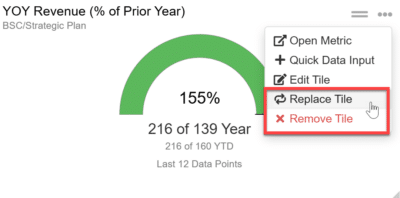
- Goals, Metrics, and Multi Project Task List tiles can now be replaced with a different tile.
- Custom Huddleboard tiles now use a “Remove Tile” option instead of “Delete Tile” styling.
New Idea
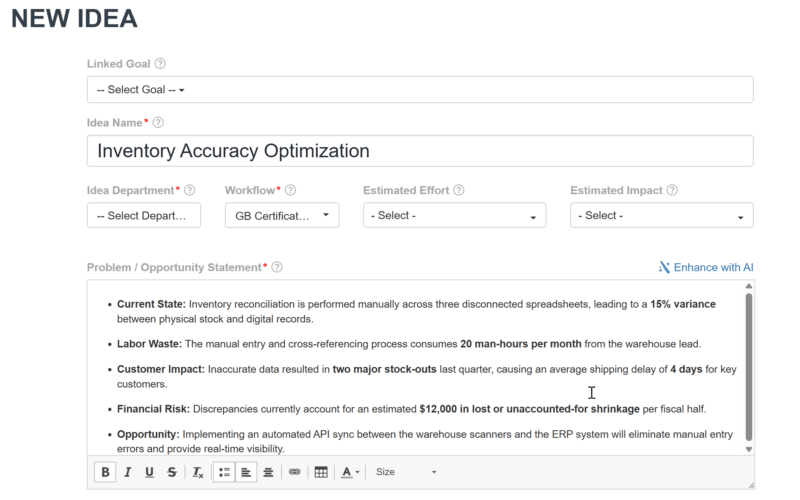
- The New Idea page now supports an HTML editor for richer content in tiles.
Idea Funnel
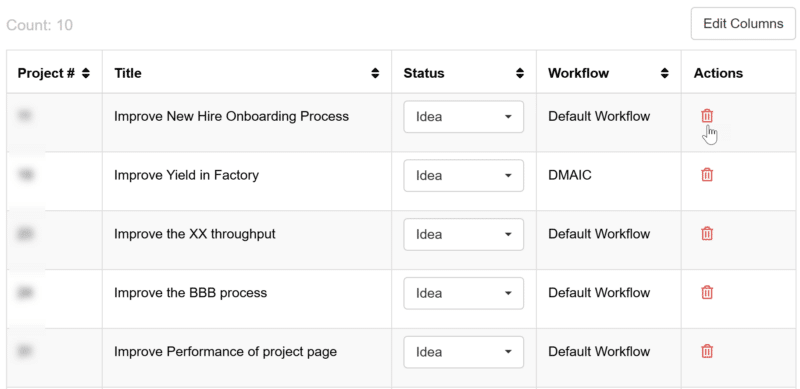
- Delete icons in the Idea Funnel now use the standard red color for consistency.
Upcoming Feature
AI Chat Bot Widget
- A new AI-powered support widget is currently in development and will be available within the application soon to assist users.
Bug Fixes
Projects
- Charter Tab: Additional Standard tiles in the Project Charter now appear correctly.
Main Nav Bar
- Focus borders on menus, buttons, and clickable items now display correctly across browsers.
Performance Enhancement
Goals/Metrics/Projects
Released April 20, 2026
New Features & Enhancements
My Projects
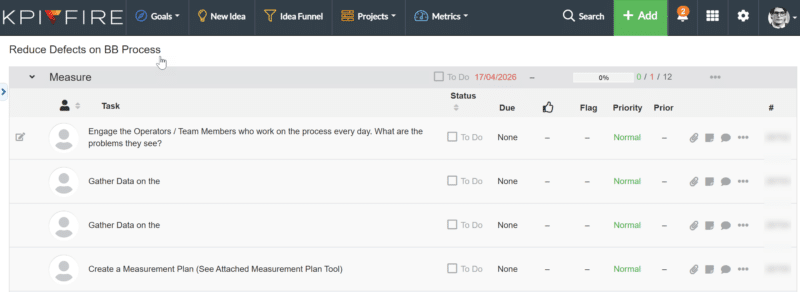
- Project detail pages now keep the project name visible with a sticky header while scrolling.
Custom Huddlebaord
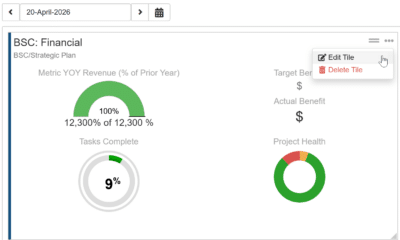
- Tiles: Goal/Metrics and Project task list tiles now use a consistent layout with standard icons for moving and menu options.
Workflows
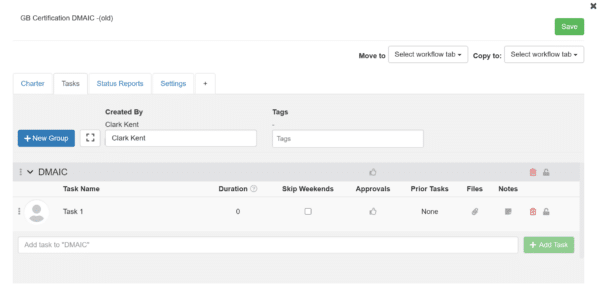
- Task Tab: The Workflow Task tab now uses an updated layout for a more consistent and polished experience.
Bug Fixes
Custom Huddlebaord
- Iframe Tile: The close button on Huddleboard iframe tiles now works correctly after updates.
- Tooltips in custom huddleboard new tiles modal now appear correctly above the modal.
Released April 13, 2026
New Features & Enhancements
Custom Huddlebaord
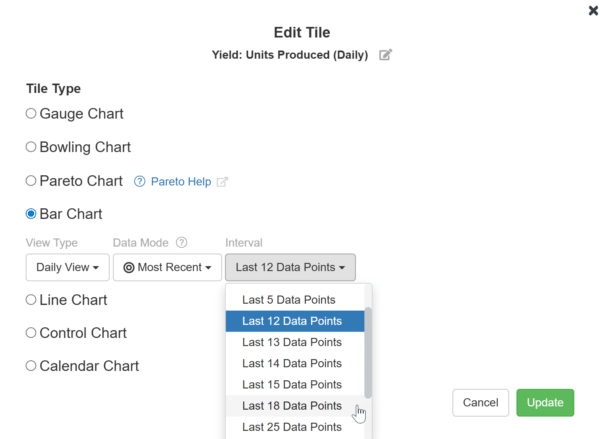
- Metric Charts: Metric Huddleboard charts now support viewing up to 18 months of data (excluding bowling charts).
Projects
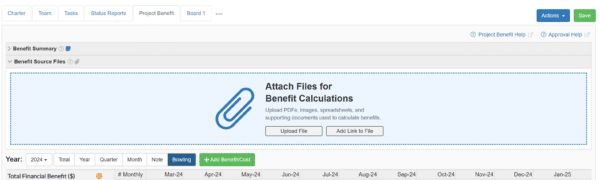
- Project Benefits Tab: Project Benefits now display attachments and summaries in a clearer, more structured layout.
Standards Work Plan
- Tasks:
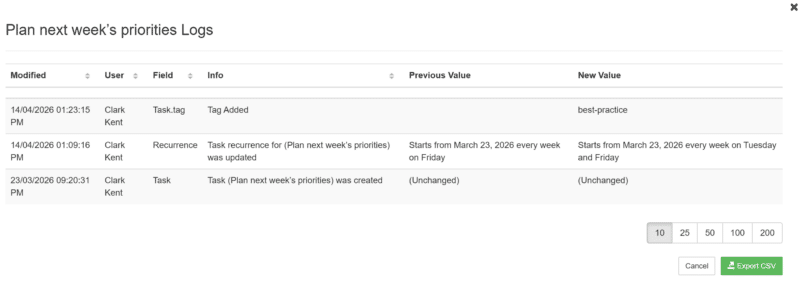
- Standard Work now includes audit logs for tag changes in task.
- Task logs in Standard Work now include updates to recurrence patterns.
Daily Updates
-
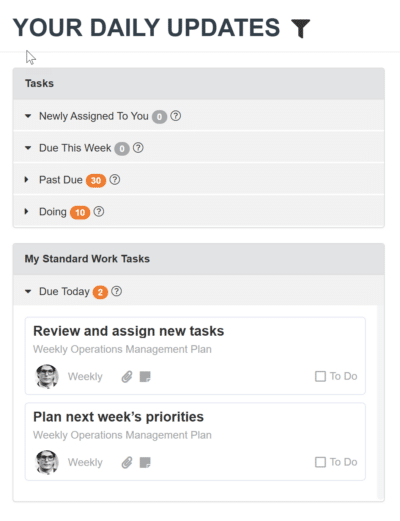
My Standard Work Tasks’ is now available on the Daily Update page and in emails.
Bug Fixes
General Settings
-
Internal New Idea Configure Form: QR code options now appear correctly in the New Idea form configuration.
Search
-
Search now returns results correctly even when task titles include special characters.
Released April 07, 2026
New Features & Enhancements
Project Value Realization Report
- Action: A print option is now available in the actions dropdown for the Project Value Realization Report.

Projects
- Charter Tab: Action items in the Project Charter dropdown are now reordered for easier access.
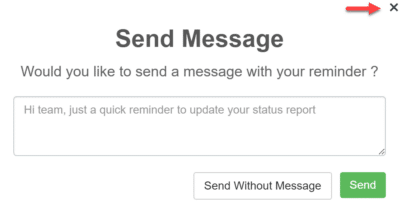
- Status Report Tab: The send reminder message modal in the Project Status Report now includes a close (X) icon.
Metrics
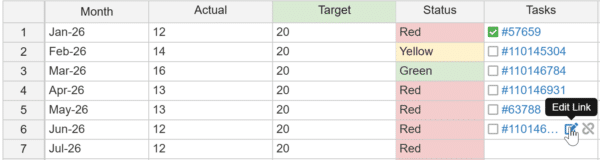
- Data Tab: Unlink/edit task icons will appear on hover over only.
Bug Fixes
Metrics
- Data Tab: Edit Column Metric translations and column visibility now work correctly when using custom columns.
- Action: Printing metric charts tab now reflects information correctly.
Metrics
- Action: Printing metric charts tab now reflects information correctly.
<< Previous Notes / Next Notes >>