Product Enhancements – Release Notes March 2026
We are happy to announce our March enhancements & fixes:
Note: if you don’t see the same thing in your account, try clearing your cache/cookies or use a “new private window” to get the latest changes.
Released March 30, 2026
New Features & Enhancements
Projects & Standard Work Plan
- Tasks Tab:
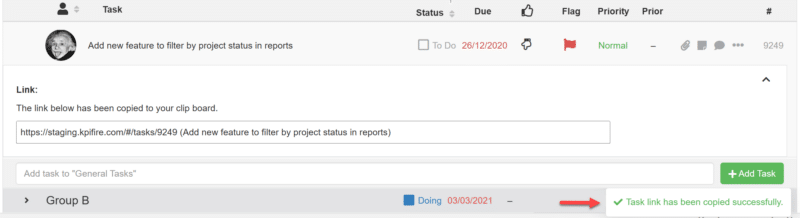
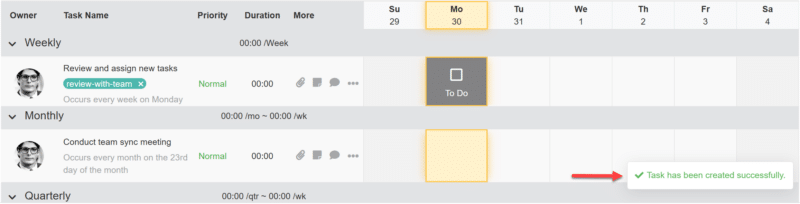
- A success toast now appears in the bottom-right corner after copying a task link of project or creating a Standard Work task and dismisses automatically.
Saved Views & Huddlebaords
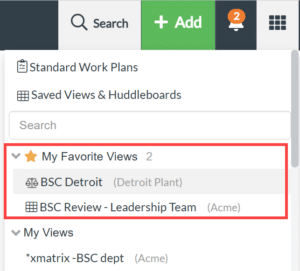
- Saved views and huddleboards can now be marked as favorites and accessed under ‘My Favorite Views’ in the waffle menu.
Bug Fixes
Project Portfolio Timeline Report
- Action Button: Printing the Portfolio Timeline now works without breaking the layout or hiding controls.
Reports
- Opening pages from the Reports page in a new tab now works as expected.
Projects
- Charter Tab:
- Duplicate standard tiles no longer appear in Project Charters.
- Notes in the Project Charter now retain entered text and allow continued editing.
Metrics
- Bowling View: Weekly metric totals now display actual values correctly.
Released March 23, 2026
New Features & Enhancements
Standard Work Plan
- Tasks Tab:
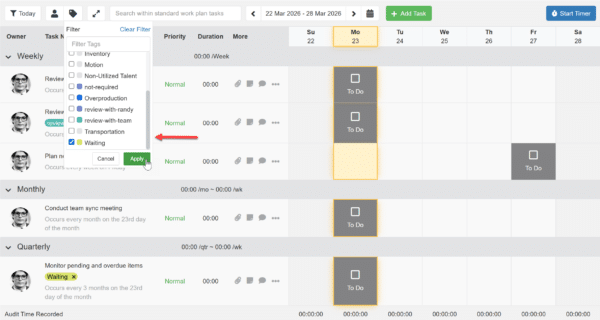
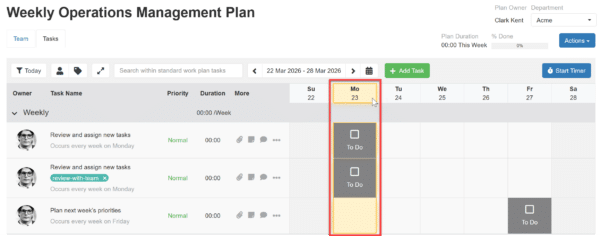
- Standard Work tasks can now be filtered by tags for both department and user views.
-
- Standard Work now follows the company time zone for today’s highlight, smart filters, and audit timing.
Search
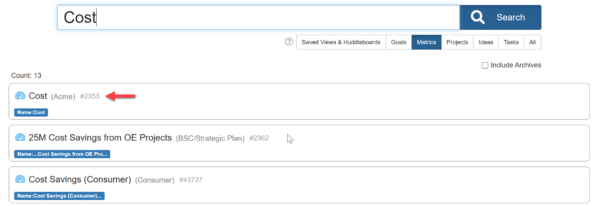
- Metrics: Quick search now shows the metric number(id) alongside the metric name in search results and in details pop up.

Idea Funnel
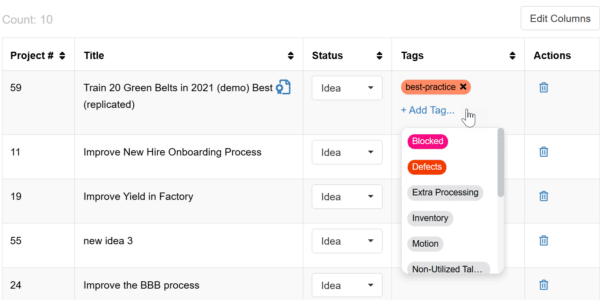
- Tags can now be added directly from the Idea Funnel table view.
Bug Fixes
Daily Updates
- Email: Task links in daily update emails now open correctly.
Ideas
- Charter Tab: Creating a new idea from the Project Charter no longer results in duplicate tiles.
Released March 17, 2026
New Features & Enhancements
Projects
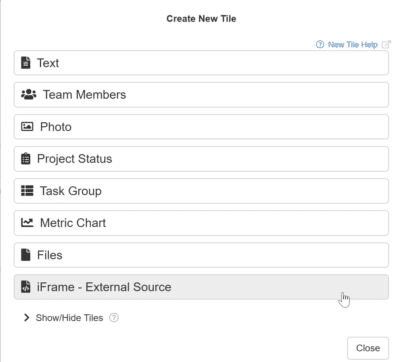
- Charter Tab: Project Charters now support iframe tiles, similar to Huddleboards.
Settings
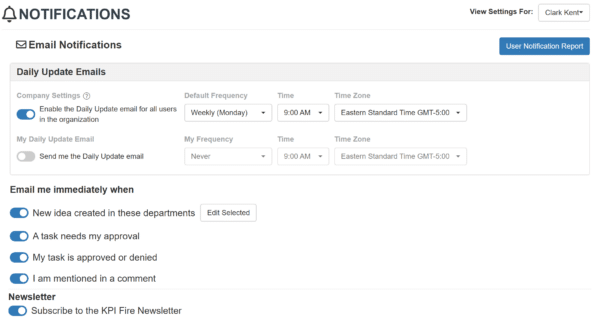
- Notification: Notification settings have been redesigned to give admins override options while allowing users to manage their daily update email schedule.
Project Summary Report
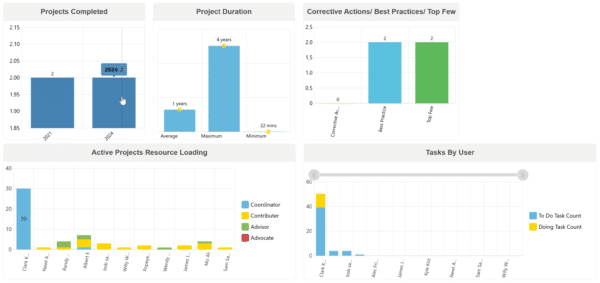
- Project Summary Report last 4 charts have been updated to improve chart performance and consistency.
Bug Fixes
Settings
- Workflows: Workflows no longer appear in the list after they have been deleted.
Idea Funnel/Projects
- Updates made to workflows no longer change the “Last Updated” date on related ideas or projects.
Released March 09, 2026
New Features & Enhancements
Metrics
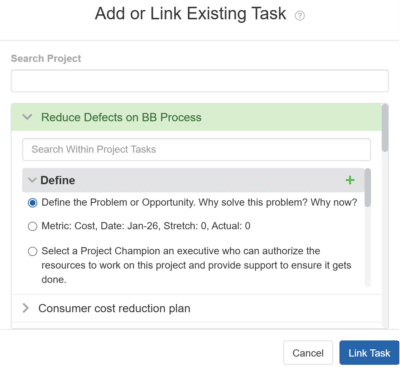
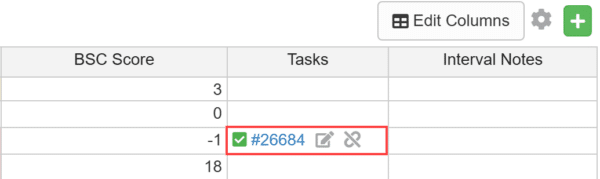
- Data Tab: The Linked Task column in the Metric Data table now allows tasks to be created, linked, edited, or unlinked directly.
Custom Huddleboard
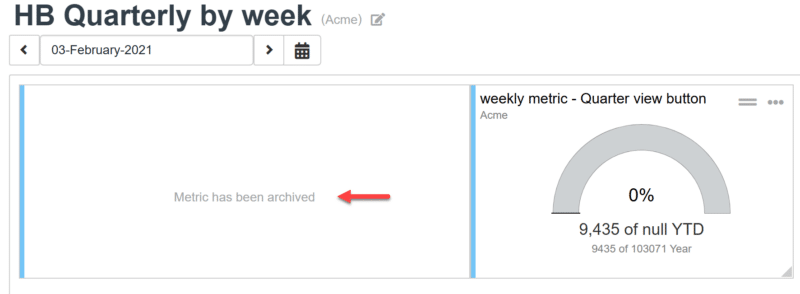
- Metric Tiles: Huddleboard tiles now show a clear message when the related metric has been archived instead of appearing blank.
- Metric Bowling Tile: Metric bowling tile interval column headers now show clearer time labels such as “Week #” or “Day #” based on the data.

Project Summary Report
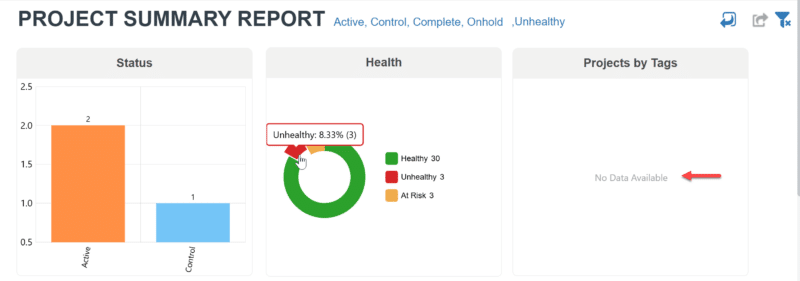
- Project Summary Reports now display a “No Data Available” message in chart tiles when there is no data.
Bug Fixes
Settings
- Assets: Strikethrough files in the Assets now work as expected.
- Workflows: Tabs settings of default workflow can now be edited when setting up a new account.
Released March 02, 2026
New Features & Enhancements
Metrics
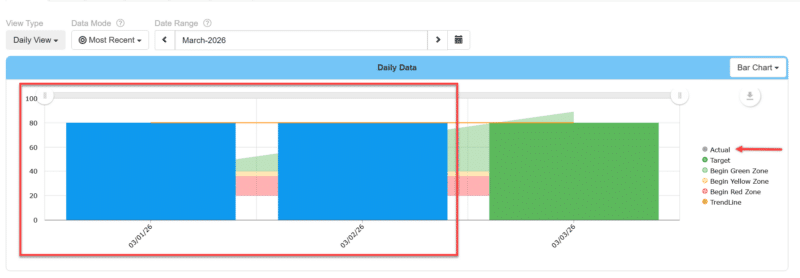
- Charts Tab: Metric bar chart tiles now use a blue bar when no target value is set, include a refined bar outline, and display the Actual label in grey.
Advanced Search
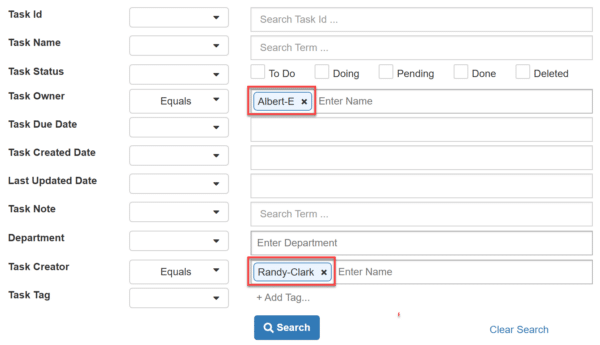
- Task Creator and Leader field: Gradient email chips have been replaced with a solid color for a cleaner and more consistent look.
Bug Fixes
Project Summary Report
- Charts: Health and Schedule pie charts have been updated to work and display correctly.
Projects
- Teams Tab: User cards in the Project Team tab now display with consistent layout and alignment.
Settings
- Notifications: The Indian time zone now saves correctly as GMT+5:30 in notification settings.
Performance Improvements
Custom Huddleboard
- Performance has been improved for the Metric Dashboard view to load more efficiently.
<< Previous Notes / Next Notes >>