Product Enhancements – Release Notes November 2025
We are happy to announce our November enhancements & fixes:
Note: if you don’t see the same thing in your account, try clearing your cache/cookies or use a “new private window” to get the latest changes.
Released November 24, 2025
New Features & Enhancements
Project
- Charter Tab: The benefit summary tile in the Project Charter is now resizable and adjusts its height properly.
Saved Views & Huddleboards by Department
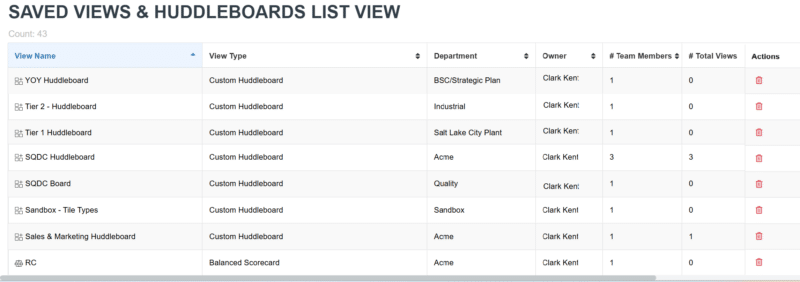
- Saved Views and Huddleboard summaries now default to A–Z sorting, making boards easier to find.
Settings
- Notifications: The User Notification Report now offers an improved multi-select filter that supports searching, and shows selected users at the top.
Project Benefit & Project Budget Report
- Global Filter: The year filter is now removed, with two new filters added under More Filters for improved date-range selection.
Project Benefits Exception Report
- Import: The monthly exception import for Project Benefits is now available.
APIs
- Status Report API V2: Status Report v2 now includes attachment links directly in the report.
Released November 17, 2025
New Features & Enhancements
Custom Huddleboard
- Project Tasks list Tile: The Project Tasks list view now includes Project Task Group and Due Date columns with sorting and filtering to make multi-project reviews easier.
Project Benefits Exception Report
- Export: The monthly exception export for Project Benefits is now available.
Projects
- Charter Tab
- Key Dates Tile: Project completion dates in the Charter now show the correct year after refresh.
Released November 10, 2025
New Features & Enhancements
New Idea
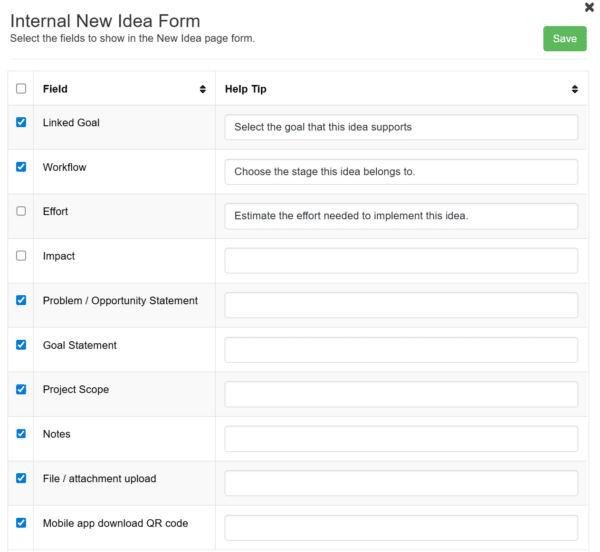
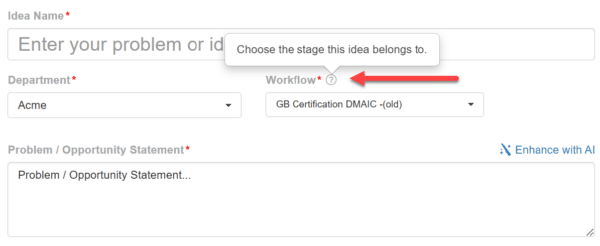
- Added account-level configurable help tips for the New Idea form. Admins can now set field visibility and add custom help tips from Settings> General>Configure Form. Help tips appear only for fields where a value is provided.
Settings
- APIs
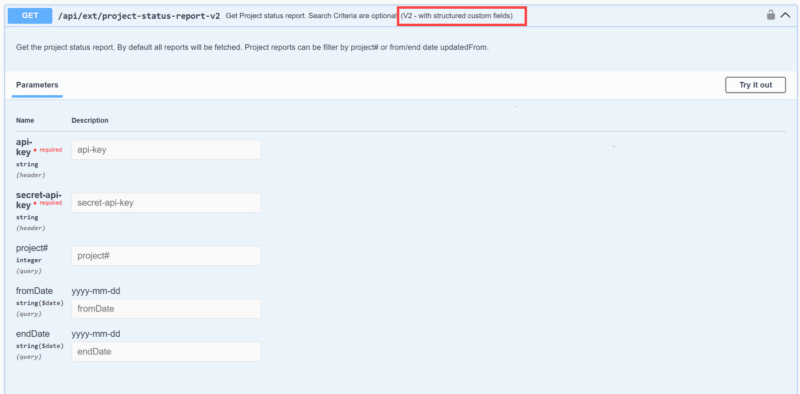
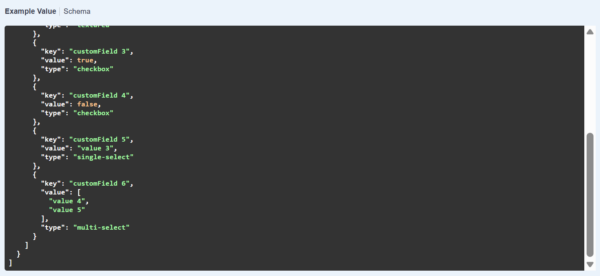
- View All APIs: The updated version of Project Status Report API now includes all custom fields, displayed in a clear key–value format for better data visibility.
Bug Fixes
Metrics
- Data Tab: The edit column popup in the metric data table now shows the correct field names.
Ai Feature in Beta
New Idea
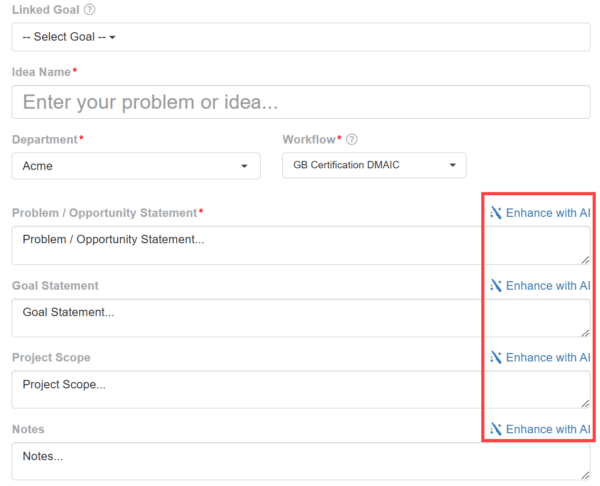
- Added an option to enhance ideas with AI for sections like Problem/Opportunity Statement, Goal Statement, Project Scope, and Notes. Contact your Customer Success Manager to receive a demo or to beta test this feature.
Released November 03, 2025
New Features & Enhancements
Saved Views & Huddleboards List View
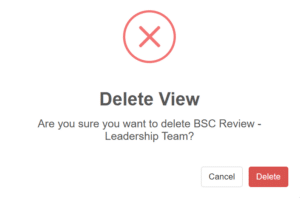
- Delete actions can now be performed directly from the table for easier management.
Project Portfolio Timeline
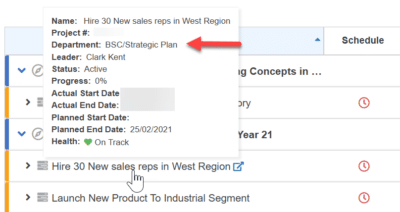
- In the Project Portfolio Timeline hovering over a project on the timeline now shows the department name in the Gantt tooltip.
Bug Fixes
Projects
- Tasks: Inactive users no longer appear in the approver selection.
Goal Grid View
- Updated metric data now appears instantly after editing, without needing a refresh.
<< Previous Notes / Next Notes >>