Product Enhancements – Release Notes February 2026
We are happy to announce our February enhancements & fixes:
Note: if you don’t see the same thing in your account, try clearing your cache/cookies or use a “new private window” to get the latest changes.
Released February 16, 2026
New Features & Enhancements
Settings
-
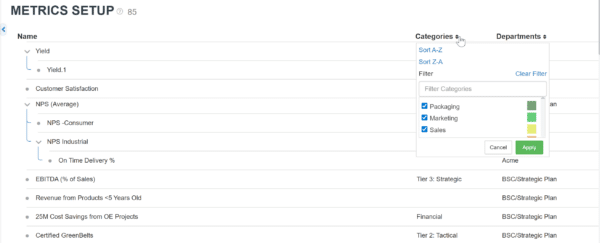
Metric Setup: The Metric Setup page now includes a Category column to help organize, sort, and filter metrics.
Projects
-
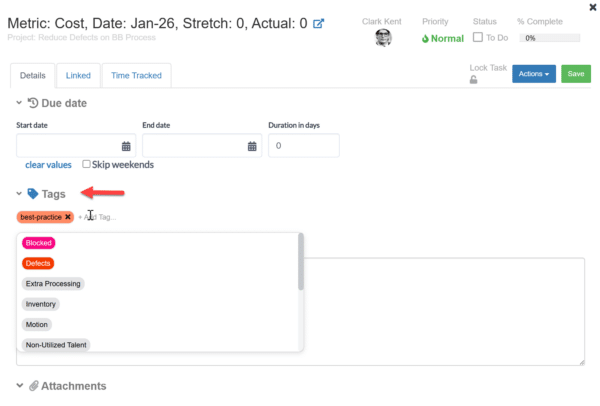
Task Detail: Task Details in Projects now include a tags section for better visibility of priorities.
Custom Huddleboard
-
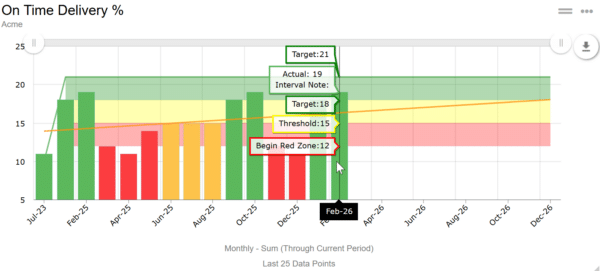
Metrics: Bar chart tiles on Huddleboards now use red, yellow, and green colors instead of blue for clearer status visibility.
Bug Fixes
Projects
-
Status Reports Tab: The “Add All Team Members” button on the Project Status Report tab now works correctly across license types.
Users
-
Certifications Tab: Suppliers and trainers added to a certification now remain visible after refreshing the page.
Released February 09, 2026
New Features & Enhancements
Settings
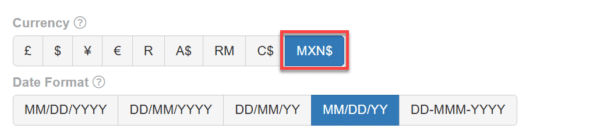
- General: The Peso currency is now supported using the MXN$ symbol.
Metrics
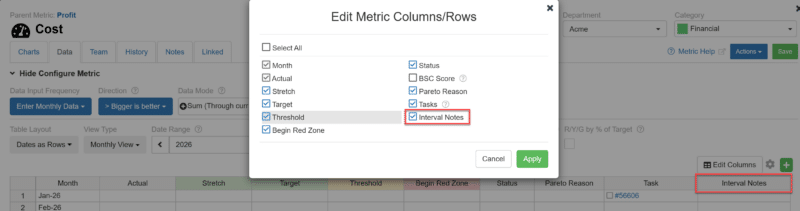
- Data Tab: The Notes column in the Metric Data tab is now labeled as Interval Notes for clarity.
Projects
- The project status change popup now appears only when other team members are impacted.
Bug Fixes
Settings
- Pareto: The Pareto export option now appears correctly in Admin Settings actions.
Projects
- List View: Project counts on the Project List now update correctly after deleting the last project.
Released February 02, 2026
New Features & Enhancements
Projects
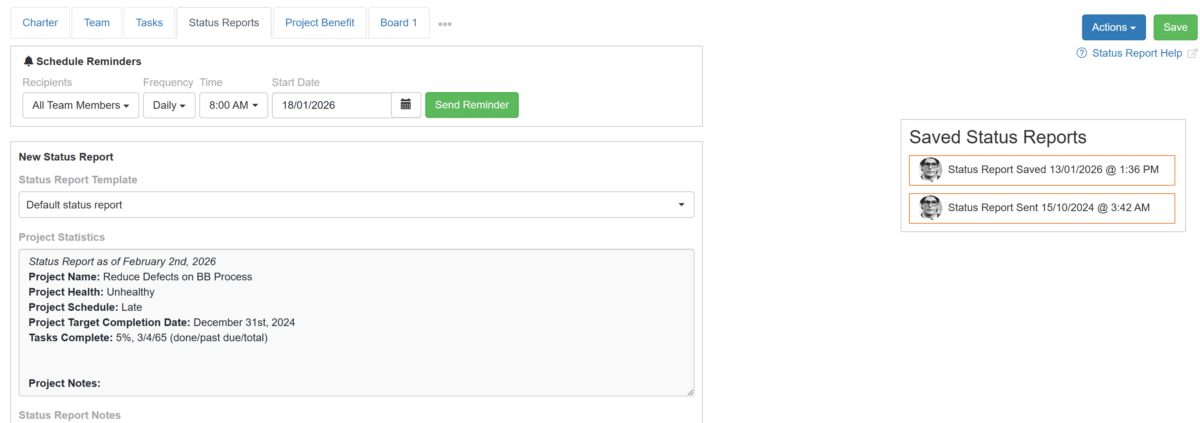
- Status Report Tab:
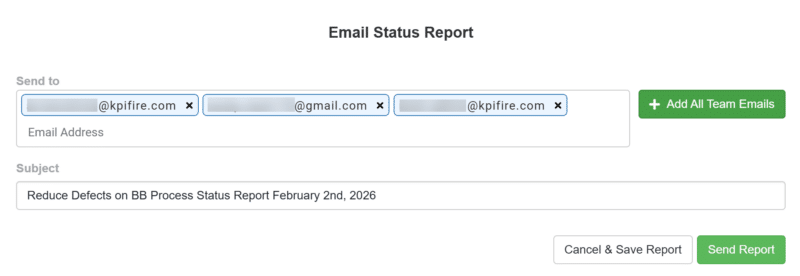
- Saved Status Reports now use a cleaner layout with the Send Email action shown in a popup window.
- Saved Status Reports now include sharing options like sending by email or copying a link.
- Message Tab: Project status change updates now appear as messages in the Messages tab instead of note tiles.
Goals
- Settings Tab: The Goal modal no longer shows configuration options for external idea fields.
Bug Fixes
Project Budget Value Realization Report
- Charts: Filters in the Project Budget Value Realization Report now apply correctly so only matching items appear.
Workflow
- Custom Tags: Workflow custom tag tile now appear blank,non-editable and changes are restricted, with a clear warning indicator.
<< Previous Notes / Next Notes >>